 Wheeler Works

Image Resizer
Image Resizer is a free, browser-based tool that shrinks and converts your photos entirely on your own device — nothing is ever uploaded. Drop in a batch of images (JPEG, PNG, WebP, or iPhone HEIC), pick a maximum dimension and quality, and it resizes them in seconds, showing how much smaller each one got. Download them individually or as a single zip. Because everything runs locally, it's completely private, works offline, and installs to your desktop or home screen like a native app.
Use it: https://reduce-images-web.web.app · Free · No account required · Runs in any modern browser · Installable
Use it: https://reduce-images-web.web.app · Free · No account required · Runs in any modern browser · Installable
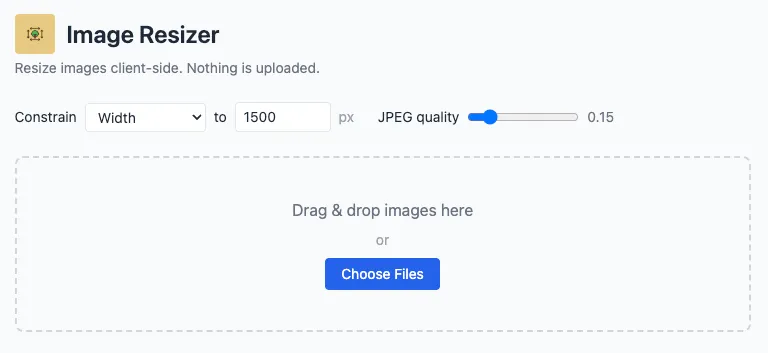 The whole app on one screen — set how big you want the images and how much to compress them, then drop your files in. No menus, no steps, no sign-up.
What it is
Image Resizer is a dead-simple tool for making image files smaller. Point it at a photo — or a hundred photos — tell it the largest dimension you want and how aggressively to compress, and it hands back tidy, web-ready JPEGs. It’s the tool you reach for before emailing a batch of pictures, uploading product shots, attaching images to a listing, or trimming a folder of iPhone photos down to a sensible size.
The catch that makes it different: it never uploads your images. Everything happens inside your browser, on your computer. Your photos never leave your device, which makes it fast, private, and usable even with no internet connection.
How it works
There’s nothing to learn. The entire app is a single page:
- Choose what to constrain. Cap the width, the height, or the longest side of each image, and set the maximum size in pixels (the default is 1500px). Images larger than that are scaled down proportionally; smaller ones are left at their original size.
- Set the JPEG quality. A single slider trades file size against visual fidelity — nudge it down for smaller files, up for crisper detail.
- Add your images. Drag and drop them anywhere on the drop zone, or click to pick files. You can process one image or a big batch at once.
As it works, a progress bar tracks the batch, and each finished image appears in a list with a thumbnail and the numbers that matter: its before and after dimensions and its before and after file size, so you can see at a glance exactly how much space you saved.
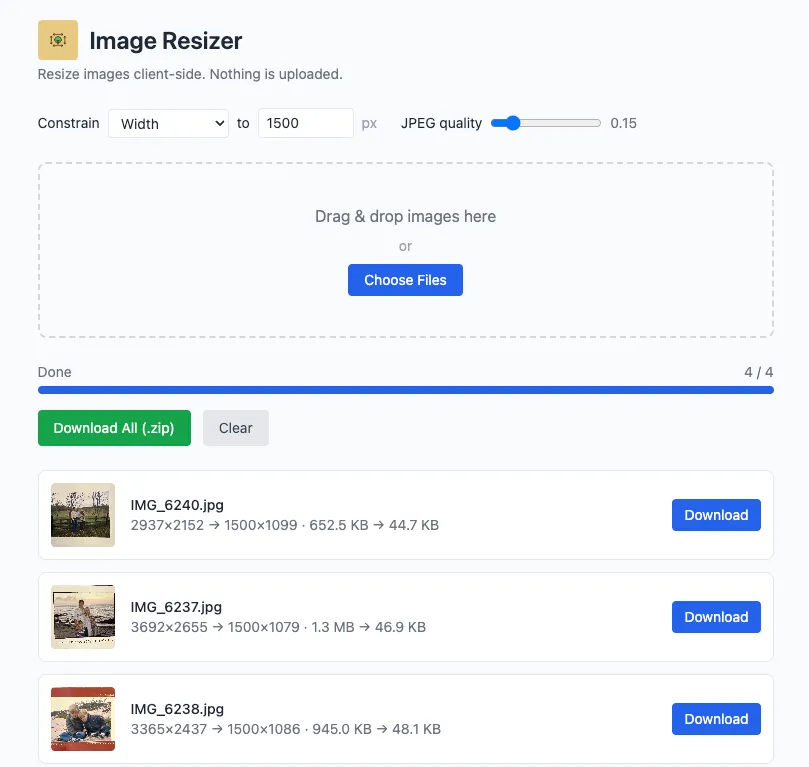 After processing, every image reports its before-and-after dimensions and file size. Download them individually, or grab the whole batch as a single zip.
Handles the formats you actually have
Image Resizer reads JPEG, PNG, WebP, and HEIC/HEIF — including the HEIC photos an iPhone produces by default, which many tools and websites refuse to open. It converts those automatically. Whatever you feed it, it outputs clean, universally compatible JPEG files.
Downloading
Grab results however suits you:
- One at a time — each image in the list has its own Download button.
- All at once — the Download All (.zip) button bundles the entire batch into a single dated zip file, so a folder of fifty photos is one click and one download.
Private by design
Because all the work happens locally in your browser:
- Nothing is uploaded. Your images never touch a server — there’s no account, no cloud, no “we process your files” fine print.
- It’s fast. No waiting on uploads or downloads; resizing happens at the speed of your own machine.
- It works offline. Once the page has loaded, you don’t need a connection to use it.
- Your settings stick. Your preferred dimension, quality, and constraint are remembered between visits.
Install it like an app
Image Resizer is a Progressive Web App, so you can add it to your Mac’s Dock, your Windows taskbar, or your phone’s home screen and launch it in its own window — no browser tabs, no address bar. Once installed it runs fully offline, so it’s always a click away when you need to shrink a photo.
About
Image Resizer is a small, free utility with no ads, no tracking, and no account. It does one thing well: makes your images smaller, privately, right in your browser.